 RF
icon, this is only an example
RF
icon, this is only an exampleContents / Chapter 1 / Chapter 3
Network parameters need to be configured into the Host and Client systems, and sometimes into other network devices.
Ask to your Network Administrator for :
Network parameters
Host parameters
Terminal parameters
IP addresses have 4 decimal numbers from 0 to 255. Addresses are provided in "dotted decimal" form. One part of the IP address (the left) is "the subnet" and the other part of the IP address (the right) is "the computer".
The subnet Mask determines which numbers of the IP address belongs to the left
or the right part. The Subnet Mask must be the same across the network.
Subnet masking have 4 decimal numbers, usually 0 or 255. Subnet masking
means the part of the IP address that are "the subnet", and the
part of the address that are "the computer". Usually
subnet mask is:
See the address of the Host computer, the terminal's and the subnet mask to
determine if they are in the same subnet or not.
If the Host computer and PDA Wi-Fi terminals are in the same subnet, no gateway
is needed.
If the Host computer and PDA Wi-Fi terminals are not in the same subnet, a
gateway is needed. The gateway must belong to the same subnet as that of
the terminals.
Start the Telnet host "service" or "daemon".
You may verify the host address by the "ping" utility from a
Windows-based PC.
You may verify if the telnet service is available, using a "telnet"
client program from any Windows-based PC.
The terminal is configured in two ways :
The network and terminal parameters, through the RF utility:
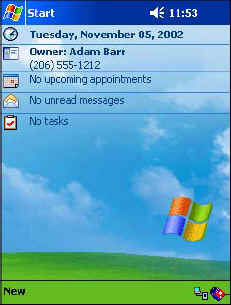
Usually the RF utility is called by clicking the RF icon (depending on your PDA model) at the bottom right corner of the Today screen.
RF
icon, this is only an example
See Appendix D - PDA NETWORK CONFIGURATION
RF and IP configuration are managed by the operating system and are not "persistent" (cleared at cold boot). In some platforms, persistence of RF and IP settings, and "cloning" to other terminals will be done by iPDA during program installation procedure.
The Host parameters, by the WTnCeVt configuration menu.
These parameters are initialized by the configuration files (see Chapter 5 for the VT configuration file WTnCeVt.Cfg and Chapter 6 for the common configuration file _WTnCE.Cfg) and may be changed by the user.