WireLess Studio Widgets Developer's Guide
WSWDG Contents → Programming

Programming applications using the WireLess Studio Library

1. Widgets versus Text applications
2. C++ Programming (Microsoft Visual Studio 2005)

2.1 Creating the C++ project
2.2 Suppressing dialog and classes
2.3 Adding exit method
2.4 Adding WireLess Classes from Type Library

1. Widgets versus Text applications (Visual Basic 2005)

This table compares the steps a programmer must follow to use the WireLess Studio Library for Graphic and Text applications.

Widgets vs Text applicaitons
Widgets based applications   Text based applications
Librairies
WSOleWidgets.dll   WSOle.dll
 
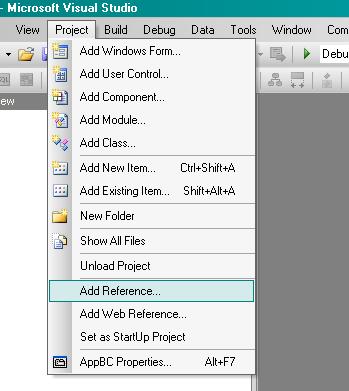
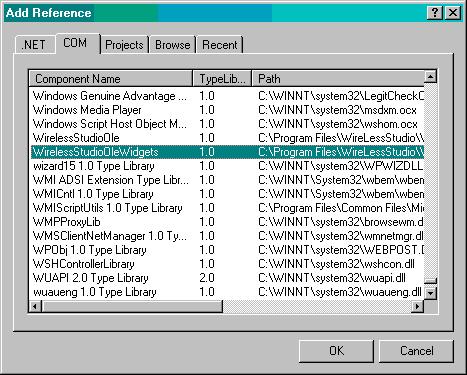
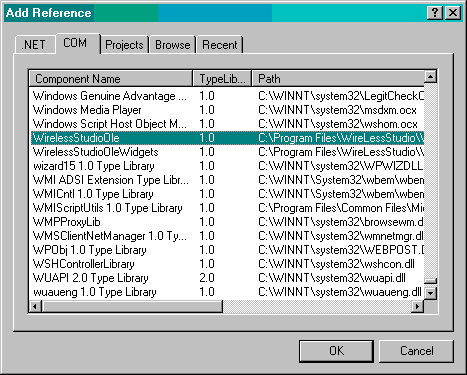
Adding components to VB 2005 project

WireLessStudioOleWidgets


WireLessStudioOle


Widgets Objects

Text Objects

Public wsFactory As New WStFactory
Public wsForm As New WStForm
Public wsWidget As New WStWidget
Public wsRfIo As New WirelessStudioOle.RFIO
Public wsRfBarcode As New WirelessStudioOle.RFBARCODE
Public wsRfTerminal As New WirelessStudioOle.RFTERMINAL
 

Widgets Methods

Text Methods


wsFactory.CreateFormByName "myForm"
wsForm.SetCoordTypeByName "myForm", WS_FORM_CT_BYPERCENTAGE

'Widgets Creation
wsFactory.CreateWidget WS_LABEL, 0, "formTittle", 35, 0, 40, 15, 
"Button Demo"
wsFactory.CreateWidget WS_BUTTON, 0, "exitButton", 30, 75, 37, 15,
"Exit"

wsFactory.CreateWidget WS_BUTTON, 0, "buttonTest1", 5, 15, 40, 15,
"Button Test 1"


wsRfIo.RFPrint(0, 0, "* Wireless Studio *", WLCLEAR + WLREVERSE)

wsRfIo.RFPrint(0, 2, " Barcode Demo ", WLNORMAL)

wsRfIo.RFPrint(0, 7, " Press <ENTER> ", WLNORMAL)


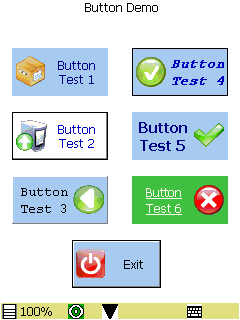
PDA Widget Client

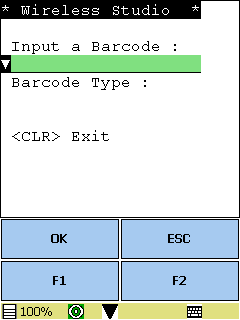
PDA Text Client


Sample widget display

Sample text display

2. C++ Programming (Microsoft Visual Studio 2005)

Follow this steps to create a simple application in C++ using the WireLess Studio Widgets Library.

2.1 Creating the C++ project
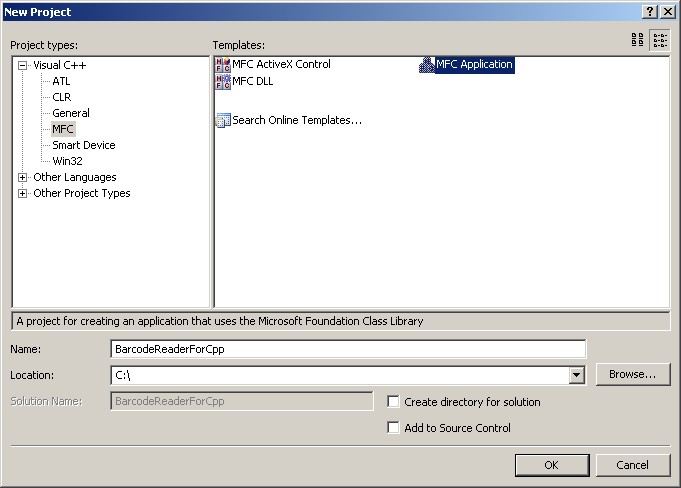
Create a new MFC Application. Click "Ok".
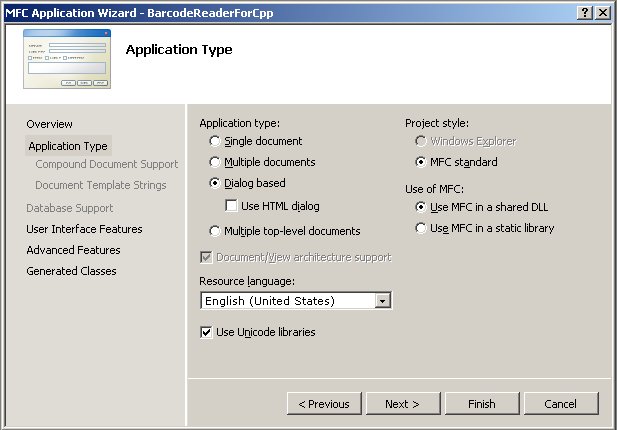
Click "Next".
Select "Dialog based" as your "Application type". And use "MFC in a shared DLL".
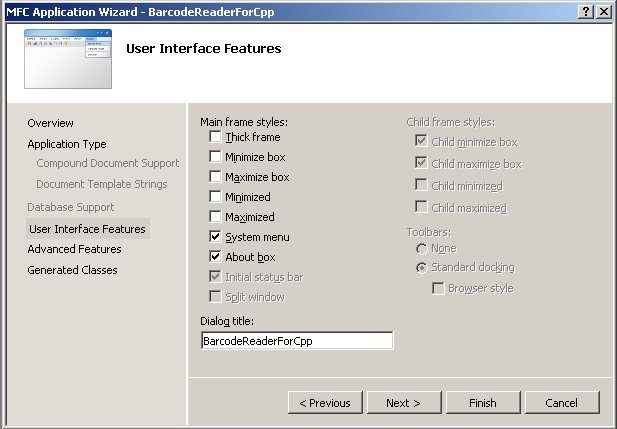
Click "Next".
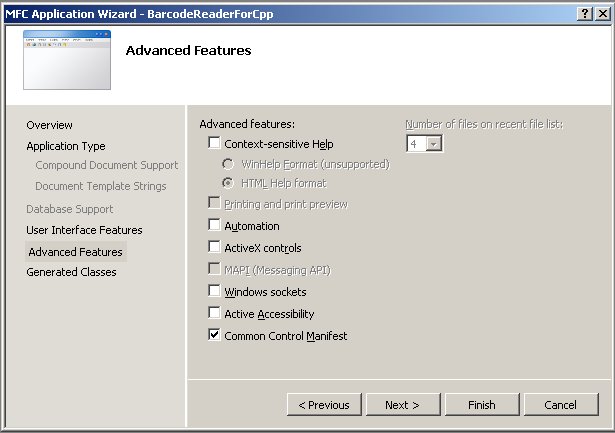
Deselect the "ActiveX controls" checkbox if you're not going to use any and click "Next".
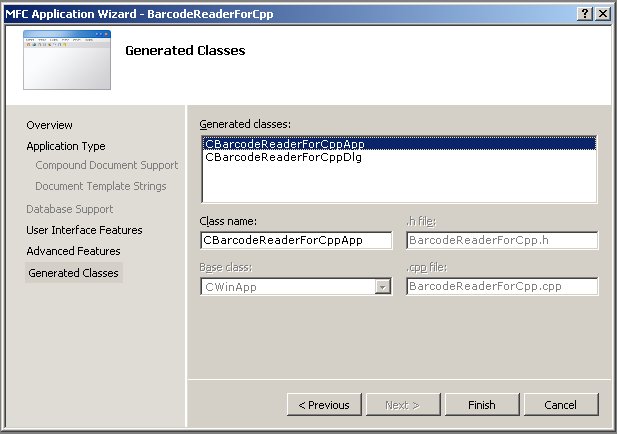
Click "Finish".
2.2 Suppressing dialog and classes
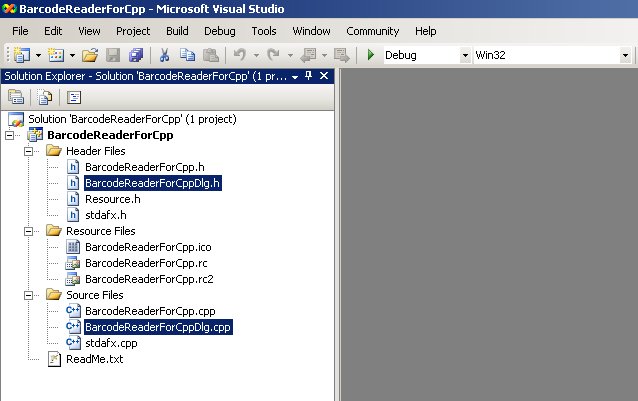
Press [DEL] to remove the auto generated dialog class.
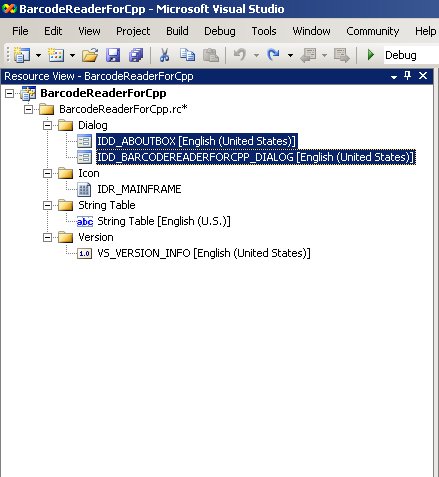
Press [DEL] to remove the auto generated dialog resources.
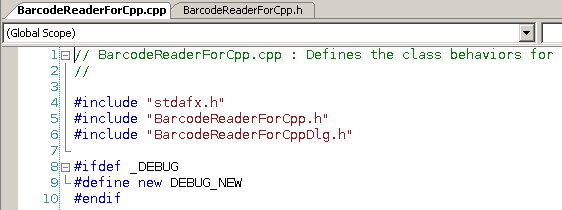
Suppress the references to the class dialog header file "BarcodeReaderForCppDlg.h".
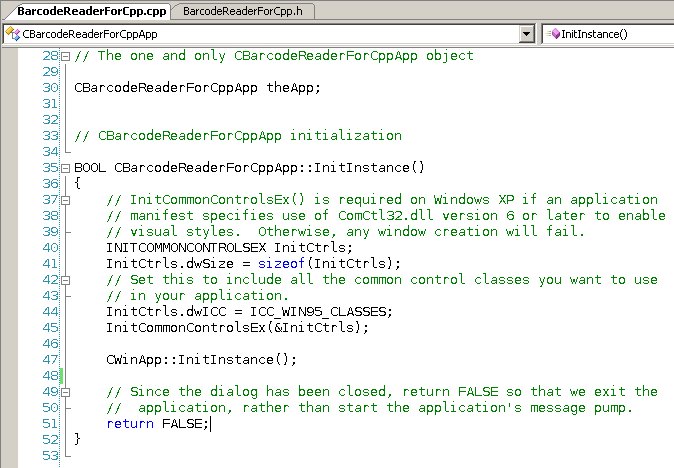
Clean the calls to the suppressed dialog from the InitInstance() function..
2.3 Adding exit method
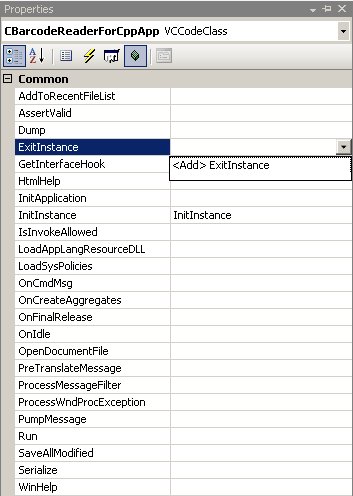
From the class view, select the CBarcodeReaderForCppApp class and add the ExitInstance() method..
2.4 Adding WireLess Classes from Type Library
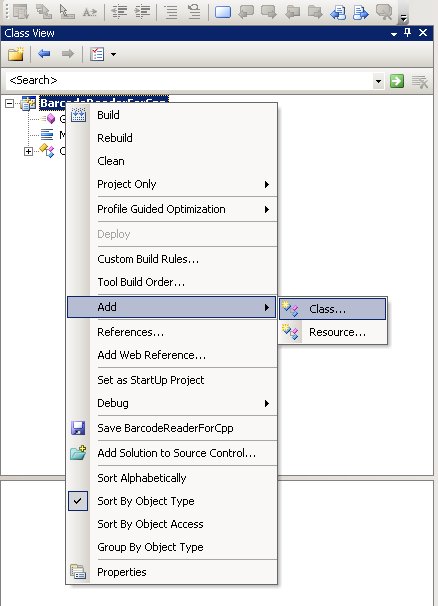
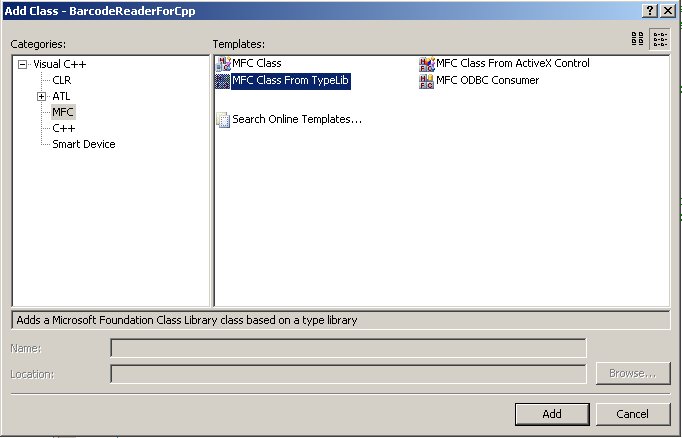
From the "Class View" select the project icon and the menu "Add->Class".
Select "MFC Class From TypeLib" and click "Add".
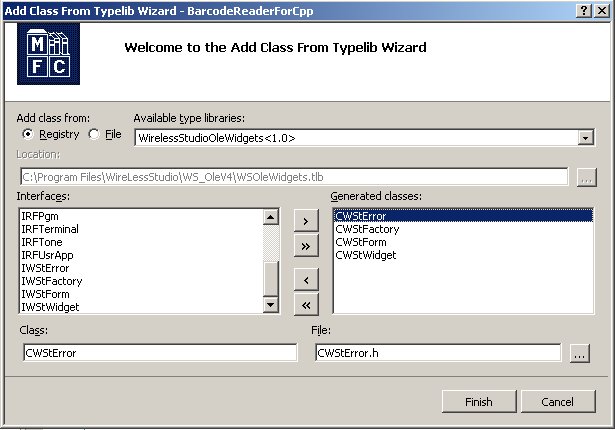
Select the WireLessStudioOleWidgets library from the Registry and add the widget classes. Click "Finish"
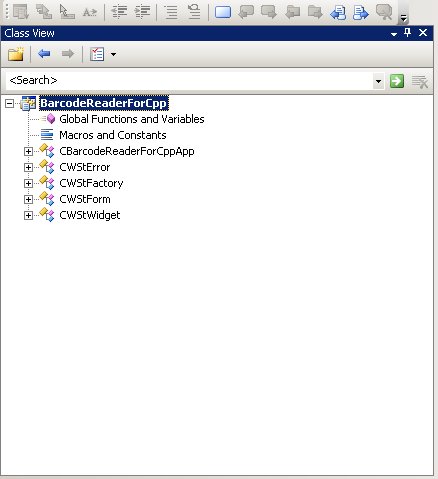
The new classes should appear in the Class View..
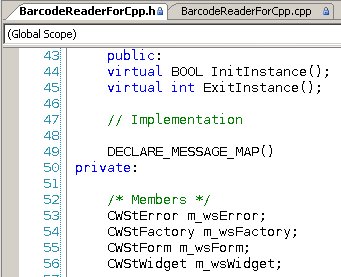
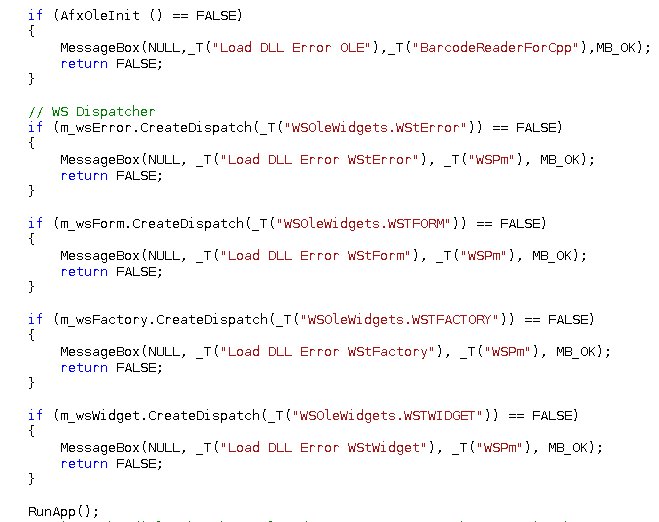
Create the member objects (in the main class) for each class in the WS library.

You should suppress the WS objects not used by the application.

Initialize the member library objects one time. Normally in the InitInstance() function. Then call your user application.

Note:

The WS application will run in the InitInstance() handler and doesn't process any window messages..

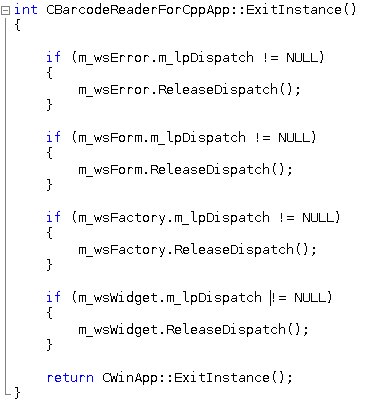
Release the WS library at application exit, in the ExitInstance() method..
Write your application in the RunApp() method.

Remarks (READ THIS! before start coding)

Currently the functionality of some RF objects is not supported by the WSt Widgets Client: RFBUTTON, RFMENU, RFERROR , RFIO and RFUSRAPP